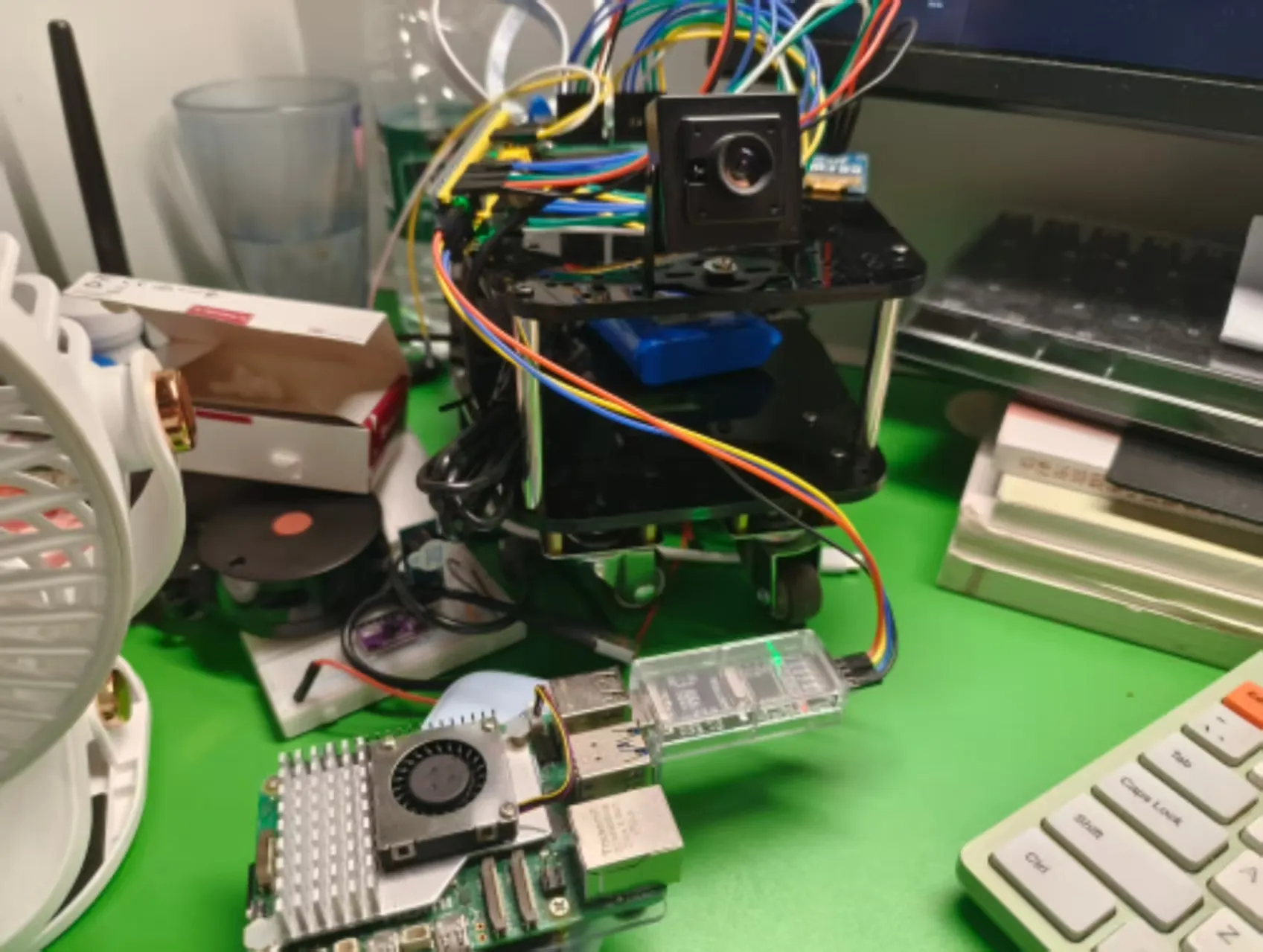
[PC] --Wi-Fi--> [Raspberry Pi 5] --USB--> [DAPLink] --SWD--> [STM32 Target Board]GDB and OpenOCD
GDB <-- TCP/IP --> OpenOCD <-- JTAG/SWD --> MCURaspberry Pi Configuration
Test DAPLink USB connection status:
lsusbRequired Packages
- openocd
- gdb-multiarch
- git
- make
sudo apt install openocd gdb-multiarch git makeOpenOCD Setup
openocd -f interface/cmsis-dap.cfg -f target/stm32f1x.cfgBy default, the GDB server started by OpenOCD (port 3333) listens only on the local loopback address (127.0.0.1). We need OpenOCD to listen on all network interfaces (0.0.0.0).
Create a custom configuration file:
nano ~/remote_daplink.cfgContent of ~/remote_daplink.cfg:
# Specify CMSIS-DAP interface
adapter driver cmsis-dap

# Use SWD protocol (supported by STM32F1)
transport select swd

# Optional: set adapter speed; reduce if connection is unstable (unit: kHz)
adapter speed 1000

# Load STM32F1x target configuration
source [find target/stm32f1x.cfg]

# Bind to all network interfaces
bindto 0.0.0.0
gdb_port 3333
telnet_port 4444
tcl_port 6666

# Optional: run OpenOCD as a background daemon
# daemon_startup attach
Launch OpenOCD with the custom config:
sudo openocd -f ~/remote_daplink.cfgTip: Use -d to output debug information.
To run in the background:
nohup sudo openocd -f ~/remote_daplink.cfg > /tmp/openocd.log 2>&1 &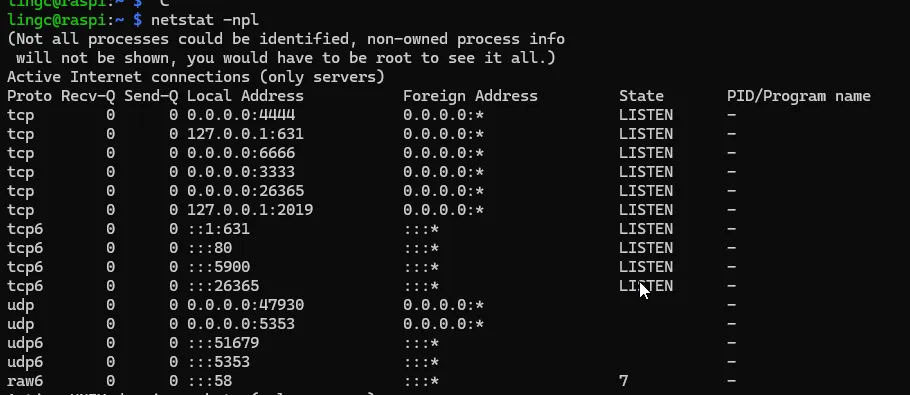
PC Configuration
Install ARM GNU Toolchain
Primarily needed for the arm-none-eabi-gdb debugger.
The arm-none-eabi-gdb debugger relies on the OpenOCD server. Commands issued in GDB are sent over the network to OpenOCD, which translates them into low-level JTAG/SWD commands executed by the debug probe on the target MCU.
Keil Output
Options for Target -> Output| File Type | Purpose |
|---|---|
.axf | Executable file containing full debug symbols. Used for debugging and flashing via OpenOCD + GDB. |
.hex | Intel Hex format file, commonly used for production flashing. |
.bin | Raw binary image file, typically used for OTA updates, etc. |
VSCode Setup
First, install the Cortex-Debug extension in VSCode.
For remote debugging, configure ./.vscode/launch.json:
{
  "version": "0.2.0",
  "configurations": [
    {
      "name": "Remote Debug (STM32F1)",
      "cwd": "${workspaceFolder}",
      "executable": "./MDK-ARM/RaspVisionCar/RaspVisionCar.axf",
      "request": "launch",
      "type": "cortex-debug",
      "servertype": "external",
      "gdbTarget": "192.168.156.107:3333",
      "gdbPath": "arm-none-eabi-gdb",
      "device": "STM32F103C8",
      "runToEntryPoint": "main"
    }
    //......
  ]
}
Manual GDB flashing via command line:
arm-none-eabi-gdb "D:/Projects/STM32/RaspVisionCar/MDK-ARM/RaspVisionCar/RaspVisionCar.axf"
target extended-remote 192.168.156.107:3333
monitor reset halt
load
For automated remote flashing, configure ./.vscode/tasks.json:
{
    "label": "Flash via Remote GDB (OpenOCD)",
    "type": "shell",
    "command": "arm-none-eabi-gdb", // Ensure it's in PATH (GNU Arm Embedded Toolchain)
    "args": [
        "build/RaspVisionCar.elf",
        "-q",
        "-ex", "target extended-remote ${input:remoteGdbHost}:3333",
        "-ex", "monitor reset halt",
        "-ex", "load",
        "-ex", "monitor reset",
        "-ex", "detach",
        "-ex", "quit"
    ],
    "group": "build",
    "presentation": {
        "echo": true,
        "reveal": "silent",
        "focus": false,
        "panel": "shared",
        "clear": true
    },
    "dependsOn": "Build Project (Release)" // Build before remote flashing
}